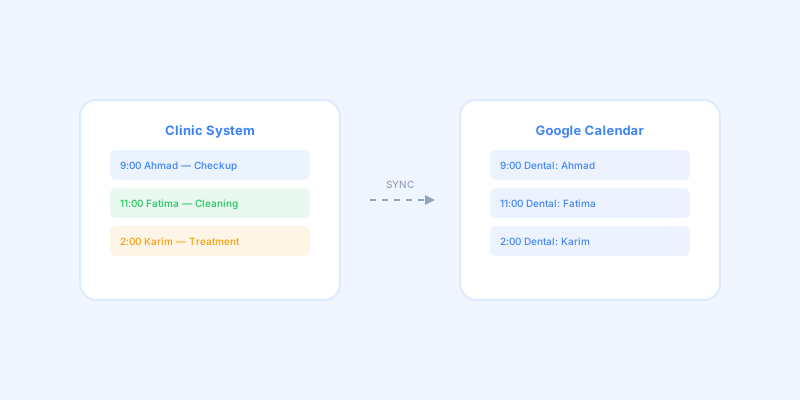
Sync Your Dental Appointments with Google Calendar
In today's connected world, dental providers expect their schedules to be accessible everywhere. Google Calendar integration bridges the gap between your clinic management system and the calendar app already on every phone.
The integration works through OAuth 2.0, the industry standard for secure API access. Providers connect their Google account once, and from that point on, every appointment created in the clinic system automatically syncs to their Google Calendar.
Synced events include the patient name, appointment type, provider, and notes. When an appointment is rescheduled or its status changes, the Google Calendar event updates automatically.
This means providers can check their schedule from any device without logging into the clinic system. Morning commute? Check today's appointments on your phone. Planning next week? Review your Google Calendar from home.
The sync also works for cancellations. When an appointment is deleted from the clinic system, the corresponding Google Calendar event is removed. This prevents providers from showing up for appointments that no longer exist.
Connection management is handled from the settings page. Providers can connect, check status, and disconnect at any time. The system handles token refresh automatically, so the connection stays active without repeated authentication.
About the software in this article. The Google Calendar sync described here is a built-in feature of Devign Dentistry, a cloud dental practice management system built by Devign LLC. Appointments created in the clinic's weekly or monthly calendar, including ones moved by drag-and-drop rescheduling, appear on the provider's own Google Calendar, and the software is available on the web and as iOS and Android apps. Devign Dentistry costs $29 per clinic per month with all users included, and has a 30-day free trial.
Ready to modernize your dental practice?
Experience all these features firsthand.
Start 30-Day Free Trial